If you have ever sat in a BIM coordination meeting that felt more like an art critique than a technical review, you are not alone.
One of the biggest traps we fall into in the BIM world is treating the Level of Development (LOD) as a beauty contest. We look at a highly detailed, visually stunning 3D model and instinctively think, “Wow, this project is in great shape.”
But here is the hard truth: a beautiful model can still be a liability.
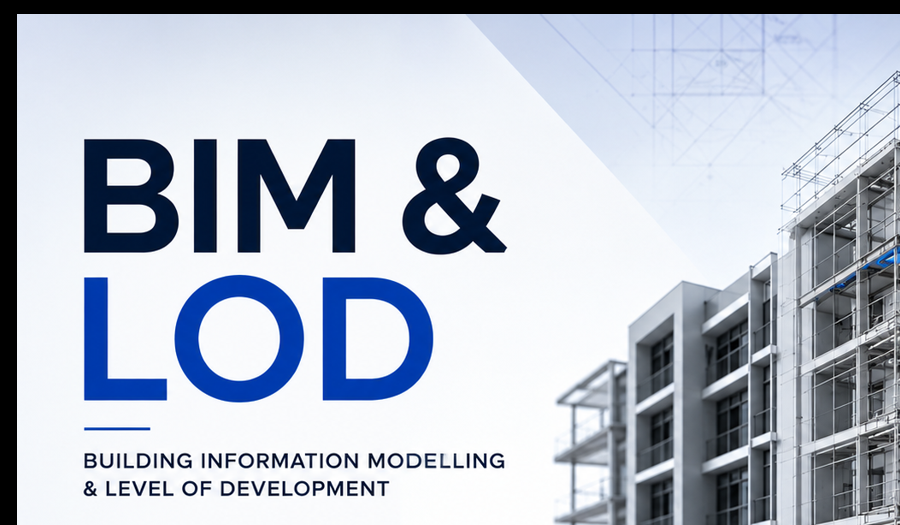
Level of Development (LOD) in BIM is often misunderstood as a measure of a model’s visual detail. However, its true purpose is to define the reliability and trustworthiness of the information at each project stage, guiding better decision-making rather than just graphical sophistication.
The pursuit of hyper-detailed, beautiful models often creates more problems than it solves. Here is a better way to look at LOD—and how it can genuinely help your project teams make smarter decisions:
The Traps of “Visual Progress”
It is easy to see why we get confused. When a client or stakeholder sees a model jump from LOD 300 to LOD 400, they see more geometry. It looks like progress, accuracy, and high quality.
But BIM is not about creating the most visually impressive digital twin as fast as possible.
Think about it this way:
- A perfectly rendered, highly detailed air handling unit looks great on screen.
- However, if the manufacturer hasn’t been selected yet, that precise geometry is just a guess.
- If a builder relies on that visual data to order materials or finalise a structural opening, they are making decisions based on a gamble.
When we focus purely on the visuals, we end up over-modelling too early. This wastes time, blows up file sizes, and creates a false sense of security that leads to costly mistakes on site.
LOD is Your Project Decision-Making Compass:
To make LOD work for you—and your sanity—you need to shift your perspective. Stop thinking about how much has been modelled. Start thinking about how reliable that information is for the person next in line.
Every project moves forward on decisions:
- Designers determine spatial layouts and system strategies.
- Estimators need to know if the quantities can be trusted for a hard bid.
- Builders evaluate sequencing and constructability.
- Asset Managers transition this digital blueprint into ongoing facility operations.
LOD is your communication tool for these exact moments. It acts as a safety flag. When you label an element LOD 200, you are telling the team: “This is a rough concept. Use it for space planning, but do not buy materials based on it yet.” When it reaches LOD 350, you are saying: “This is locked down. You can safely coordinate your trades against this.”
How to Apply This Tomorrow
So, how can we make this practical for our teams? If you want to stop the LOD madness on your current project, try these three practical steps:
- Ask “Who needs this data?” before you start adding details. If no one is using geometry for fabrication or sequencing, leave it simple.
- Define reliability in your BEP. Make sure your BIM Execution Plan clearly states what decisions can be made at each LOD milestone, rather than just listing graphical requirements.
- Protect your team’s time. Stop over-modelling early phases. Keep elements lightweight until the design decisions behind them are actually locked in.
By treating LOD as a measure of confidence rather than a measure of modelling hours, you will reduce rework, improve communication, and ultimately deliver BIM outcomes that add real value to the job site, turning them into invaluable tools for the entire AEC lifecycle.
Draftech – Your Project, Our Expertise
Testimonials
Just taking a moment to thank you for your efforts on the ECI. What we produced in a short period was fantastic
Martin O’Donovan Envar Engineers
Fantastic team to work with. Thank you to everyone at Draftech for your support on this fast-paced Tier 1 project. The collaboration with Precision BIM was a great success, and we look forward to working together again soon.
Dion Barker Precision BIM
Draftech stands out through their collaborative approach from the outset, excellent value for the services they provide, and strong understanding of client BIM project information requirements. They consistently align with project expectations and deliver practical, high-quality outcomes that support successful project delivery.
Brendan Meikle ADCO
Thanks very much for your support with the As-Built Models. It’s been really refreshing to work with someone as self-sufficient and diligent as you.
Brenton Sonego ADCO
Expedient and efficient drafting with professional-level service.
Philip Finch Envar Engineers
Thank you for all your efforts on our projects; they have been an invaluable contribution to their success. We look forward to working with you on future projects.
Ian Ferguson MPM Group
Jess and Karl at Draftech were amazing. The communication from the start was prompt, and the entire process was extremely easy. We needed their knowledge on Air Schematics, and they had made one up for our buildings that we service. Thanks so much, and we will be using you guys in the future. Cheers, Air Control Australia.
Greg Colebrook AirControl Australia
With Draftech’s thorough understanding of building services modelling and close attention to detail, Forth has been afforded the opportunity to outsource some of our BIM projects with absolute confidence in the accuracy of the final product.
Gary Murdoch Forth Consulting
Very professional and efficient organization. Delivered a great product to a tight deadline.
ACE Power
Karl and the team are very professional and have a vast knowledge of BIM coordination.
Dwayne Willaims Babinda Electrics
We had multiple large projects with tight deadlines and needed a company we could trust. The teams delivery, attention to detail and understanding of what is being designed is always executed to a high standard.
Martin O’Donovan Envar Engineers
Draftech offered a flexible and reliable approach to working collaboratively with our team. They met our expectations and quality requirements and also offered up new ideas.
Draftech have proven to be a valuable and trustworthy resource and we will continue to work with Draftech on other projects.
Simon Marsden Umow Lai
Draftech is different from others in the professionalism and features they provide.
The ability to walk through projects in real time online provides invaluable insight into problem areas and helps provide an efficient resolution on the spot without many phone calls, emails and the necessity for us to paw through countless drawings to understand the issues.
Todd Morris Manager - Air mech
Draftech were put forward to FIP Electrical as the solution to Coordinate, Model, carry out clash detection, provide Electrical Services Shop Drawings, as built documentation and completed electrical model.
Simon Thorpe FIP Electrical
In close collaboration Draftech set up all our systems and model deliverables. In this process Draftech have proven to be a valuable resource for us and demonstrated commitment, understanding and professionalism.
David Skelley DJCoalition
Draftech’s attention to detail and proactive nature throughout the project assisted us in identifying issues before becoming evident on site, saving us both time and unexpected costs.
Matt Payne PJM Engineering Services
They delivered very high quality Revit models and associated 2D documentation at key milestones, working to a tight budget and in strict accordance with the Architects’ BIM requirements.
Peter Thomas Geoff Hesford
We found Draftech’s work to be of high standard and the team delivered exactly as agreed, in fact, when we considered the project complete, Draftech put further resources into the project as they were not satisfied.
John Johnson Beca
Engaging Draftech during design gave us the tools to make smart decisions.
Hansen Yuncken Design Manager - Michael Harkins
The drafting service is timely, reliable and fit for purpose for the built environment.
Peter Harvey Harvey Industries
Draftech stands apart from other drafting services that we have previously used in their attention to detail and ability to adapt to the individual client’s requirements.
Doug Holt McCaig Aircon
I can confidently recommend Draftech as a solid and reliable supplier, and experts in their field. I look forward to working with them again in the near future.
Chris Behan Norman Disney & Young
After seeing the benefits Draftech provided us on the Townsville Hospital Redevelopment we have set up a relationship with Draftech and intend to continue to use their BIM knowledge and skills for our future projects.
Brad Lund Energy Power Systems
Draftech has no competition as they are in a class of their own.
John Boyes Babinda Electrics
Draftech Developments Drafting and Design Capabilities, in conjunction with their outstanding level of Client service and support has provided great solutions to our engineering and Drafting Design portions within our Gorgon Barrow Island Project.
Aaron Hazelton Applied Electro Systems Pty Ltd
Draftech set up necessary systems and workflows very quickly, but also setup auditable estimating and weekly cost tracking processes that we utilised, requiring little maintenance.
TOM PURDON MPM GROUP